
Job management for exterior cleaning businesses
Run the whole business from one place
Nozl takes the work from enquiry to quote, calendar, job, invoice and payment, then books the next visit. The office, the crews and your customers work from the same jobs, across every branch.
Built in New Zealand for
- Window cleaning
- House and soft washing
- Pressure washing
- Roof treatments
- Gutter cleaning
From the first enquiry to the paid invoice
Every step in one app, with the office and the crews working from the same jobs.
Step 1
Enquiry
From your website form, a door knock or the phone
Step 2
Quote
Written from your templates, accepted online
Step 3
Book
Dragged onto the calendar for a crew or a person
Step 4
Do the job
Started, photographed and completed on the phone
Step 5
Invoice
Written on site or in the office, emailed with a link
Step 6
Get paid
Online or by card on the job, then sent to Xero
Step 7
Book again
The next visit pencilled in on a repeat booking

$100k+
of work planned for next year, after three months on Nozl
What Thomas Cleaning says
“We moved the whole business onto Nozl and three months later we've got over $100,000 of work already planned for next year. Getting a client onto a repeat booking takes a minute: turn the quote they've accepted into a plan, choose how often, and every visit is pencilled in with its price. The crew run their day from their phones, and I can finally see what's coming instead of guessing.”
Zac Thomas
Thomas Cleaning
Quotes
Quotes customers can say yes to
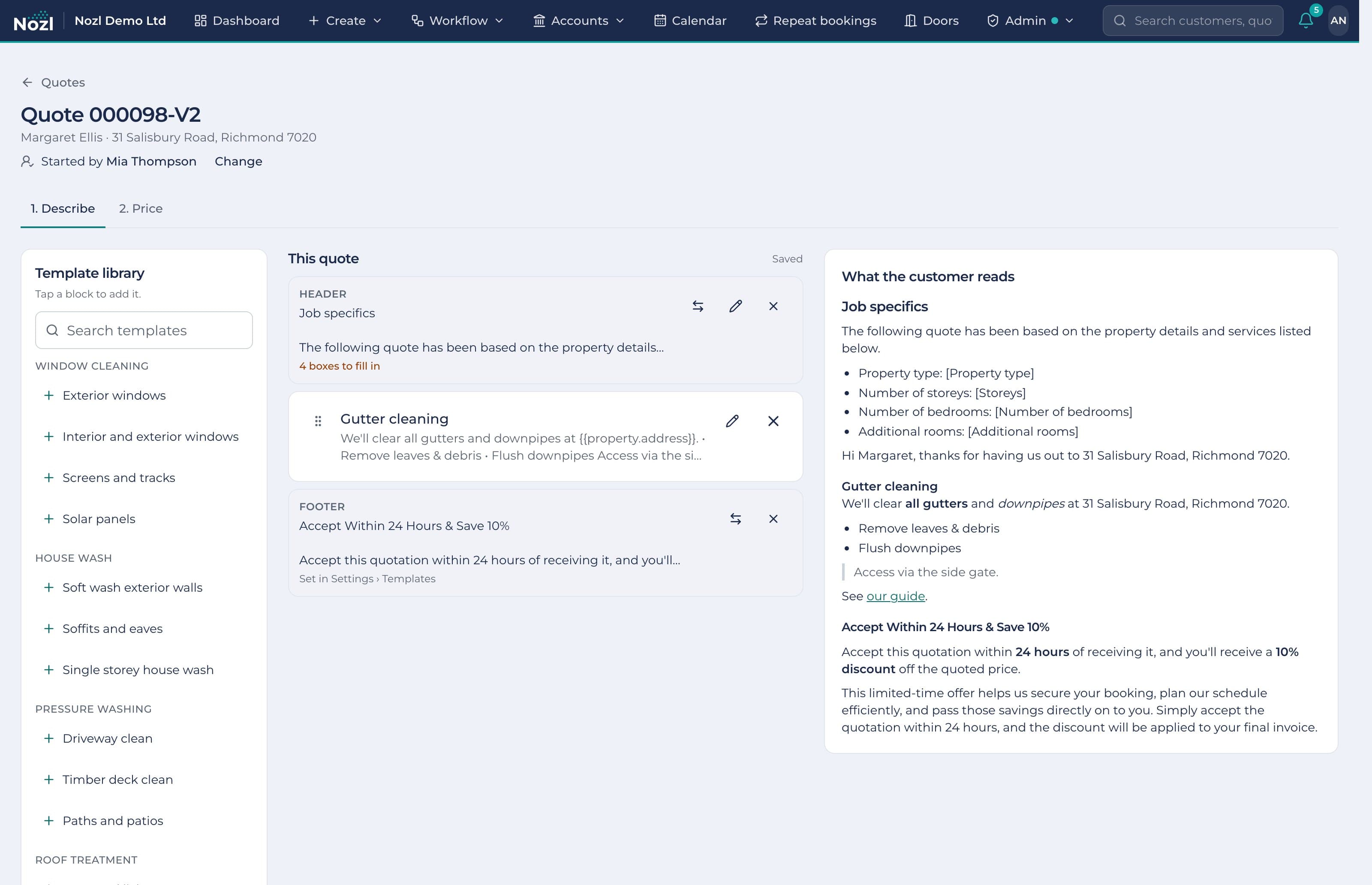
Write a quote from your own template blocks, header and footer, and see what the customer reads as you go. Send it as a PDF with a link to accept online.
- A template library that says what the customer reads and what the crew does
- Optional extras on their own or in Choose one and Choose any groups
- Accepted online with a typed name and drawn signature, or for them by phone
- Your own look: design the quote, invoice and their emails, with your logo and colours
Jobs and the calendar
Schedule by dragging
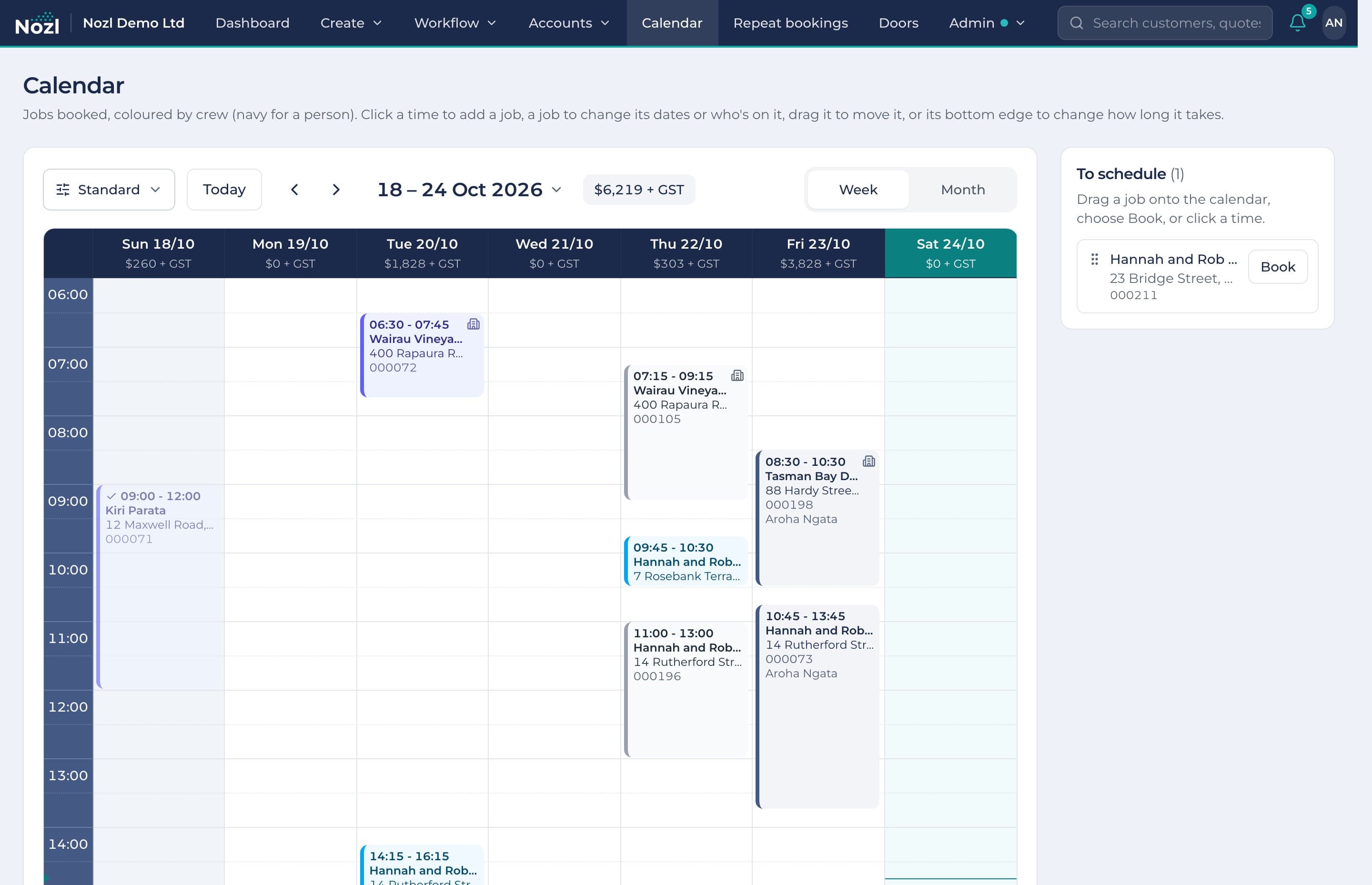
An accepted quote becomes a job waiting to be scheduled. Drag it onto the week or month and give it to a crew or one person.
- Several dates for one job, each with its own start, finish, crew and note
- Calendar views of your own: branches, crews, job steps, each in your colours
- The value booked each day, week and month, before GST
- Ad hoc events for meetings, training and days off, repeating if you like
Repeat bookings and roof treatments
Next year's work, already pencilled in
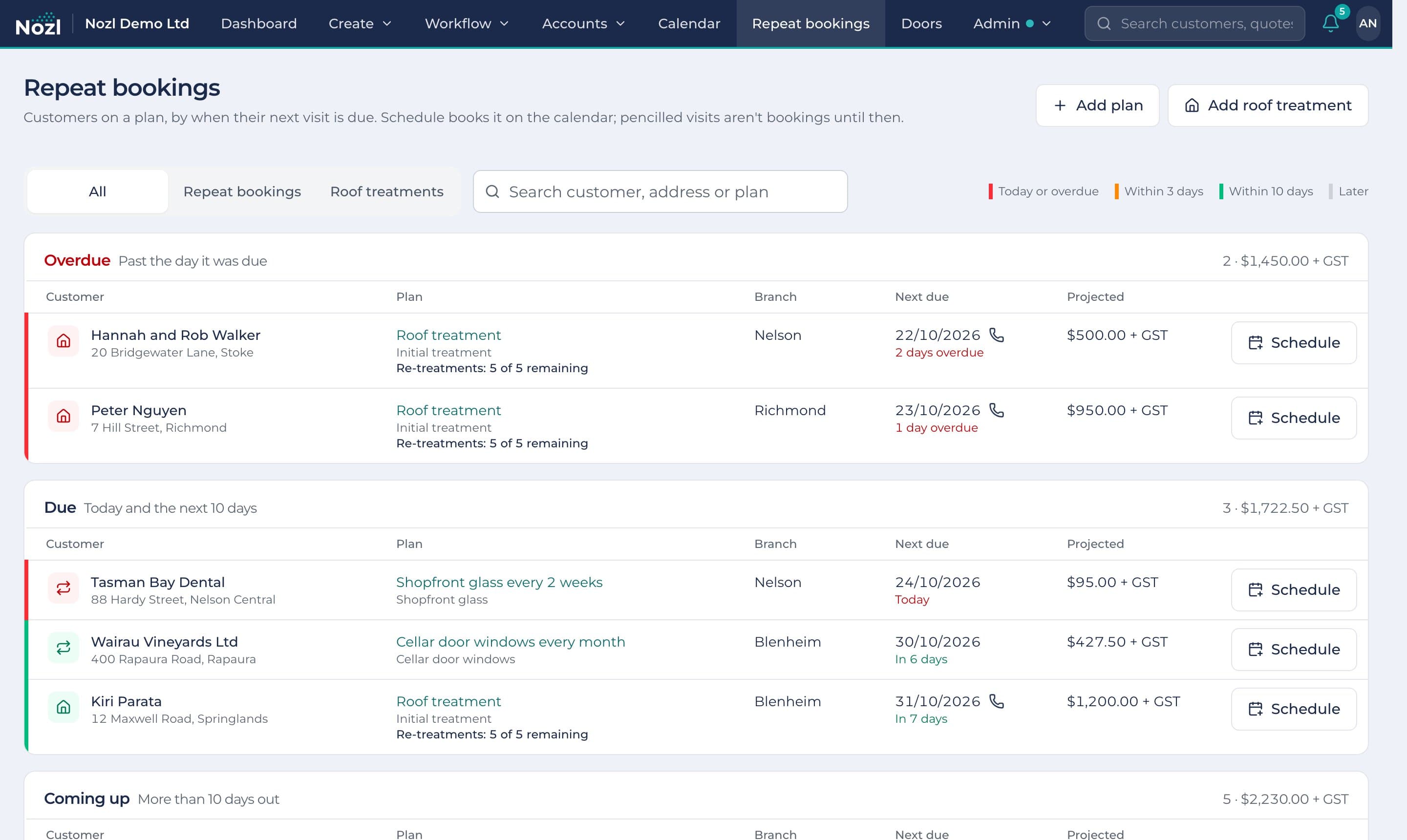
Put a customer on a repeat booking and every visit is pencilled ahead on its schedule, priced with their plan discount. Roof treatments run initial treatment then annual re-treatments, five times.
- Every visit pencilled in to the end of next year, in the forecast and the dashboard
- Overdue, due and coming up, coloured by how soon, with a phone for the ones to call first
- Schedule books the visit on the calendar as a priced job, with its tasks
- Made from an accepted quote, a finished job or the customer's page
The field app
The day in the crew's pocket
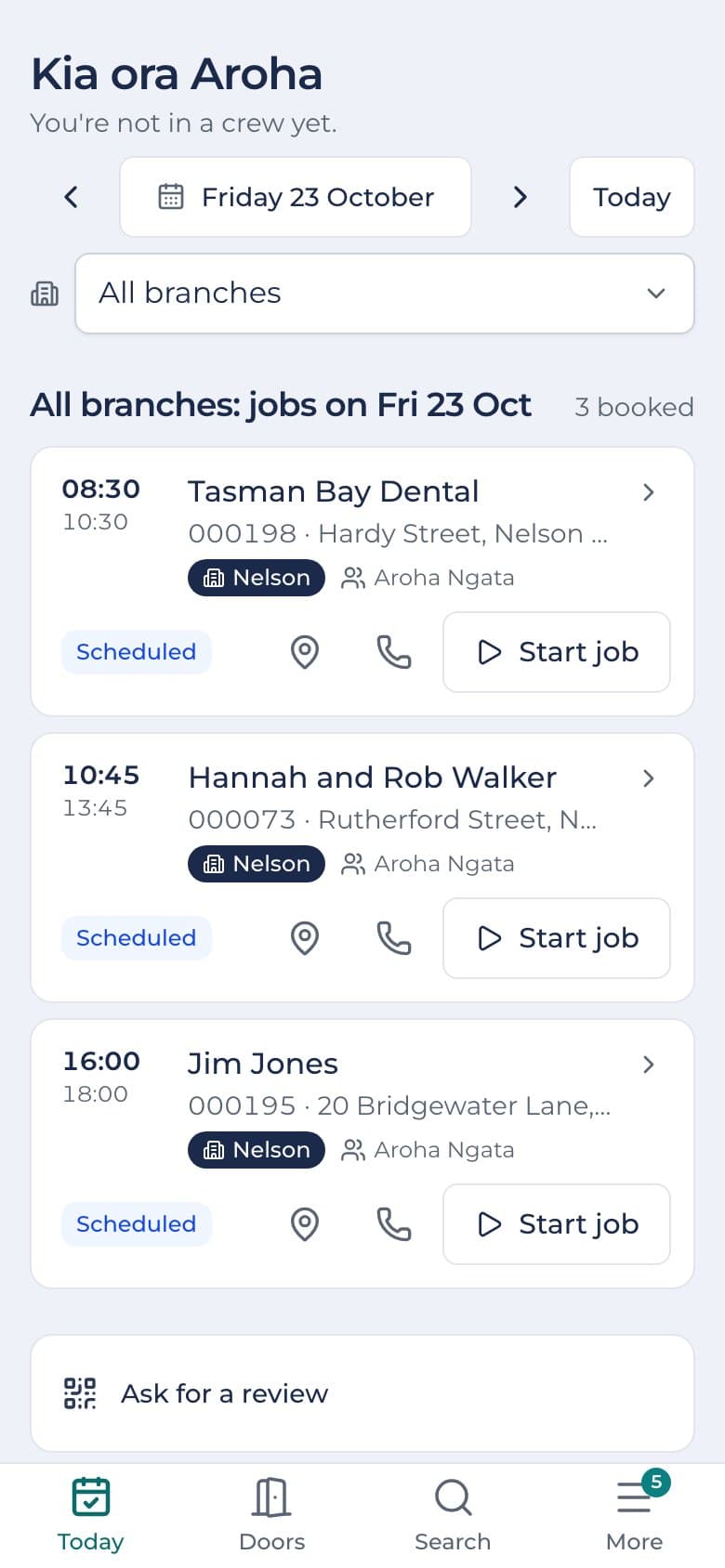
Today shows each person's jobs in order with the next step for each, a calendar of their days, and the time clock.
- Clock on and off, with rest and meal breaks owed by New Zealand law worked out
- The job card: directions, the checklist, extras the customer agreed, before and after photos
- Search customers, addresses, quotes and invoices, all opening in the field app
- No signal: photos, door knocks and clock-ons wait on the phone and send when it's back
Google reviews
Ask for the review before you drive away
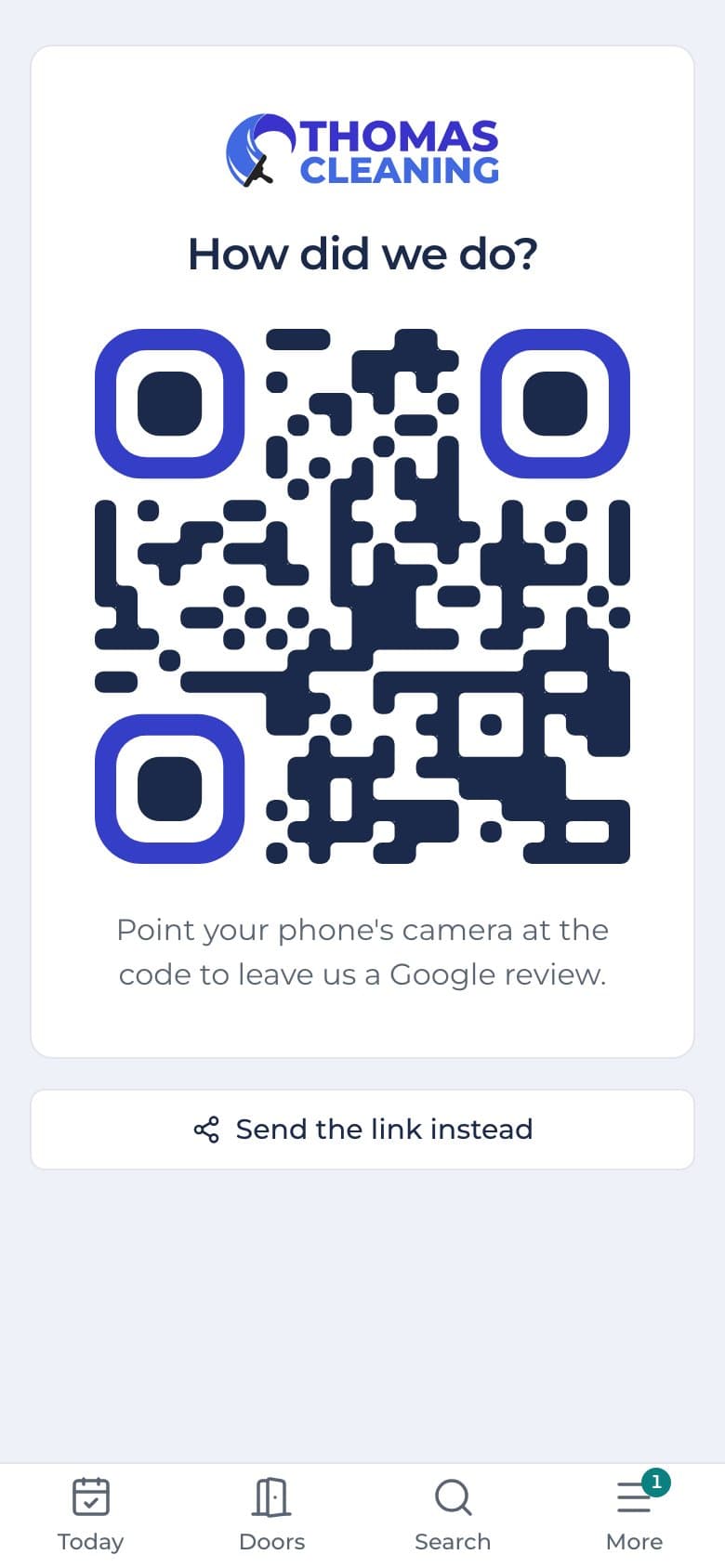
When the job's done and the customer's happy, the crew open Ask for a review and the customer scans the code on their phone. It goes straight to your Google reviews.
- A big QR code in your colours, on the crew's phone
- Send the link instead, by text or anywhere the phone can share
- Print the same code on cards and stickers: it never changes, even if your link does
- Switched on or off for the field app in your business details
Invoices and payments
Get paid sooner
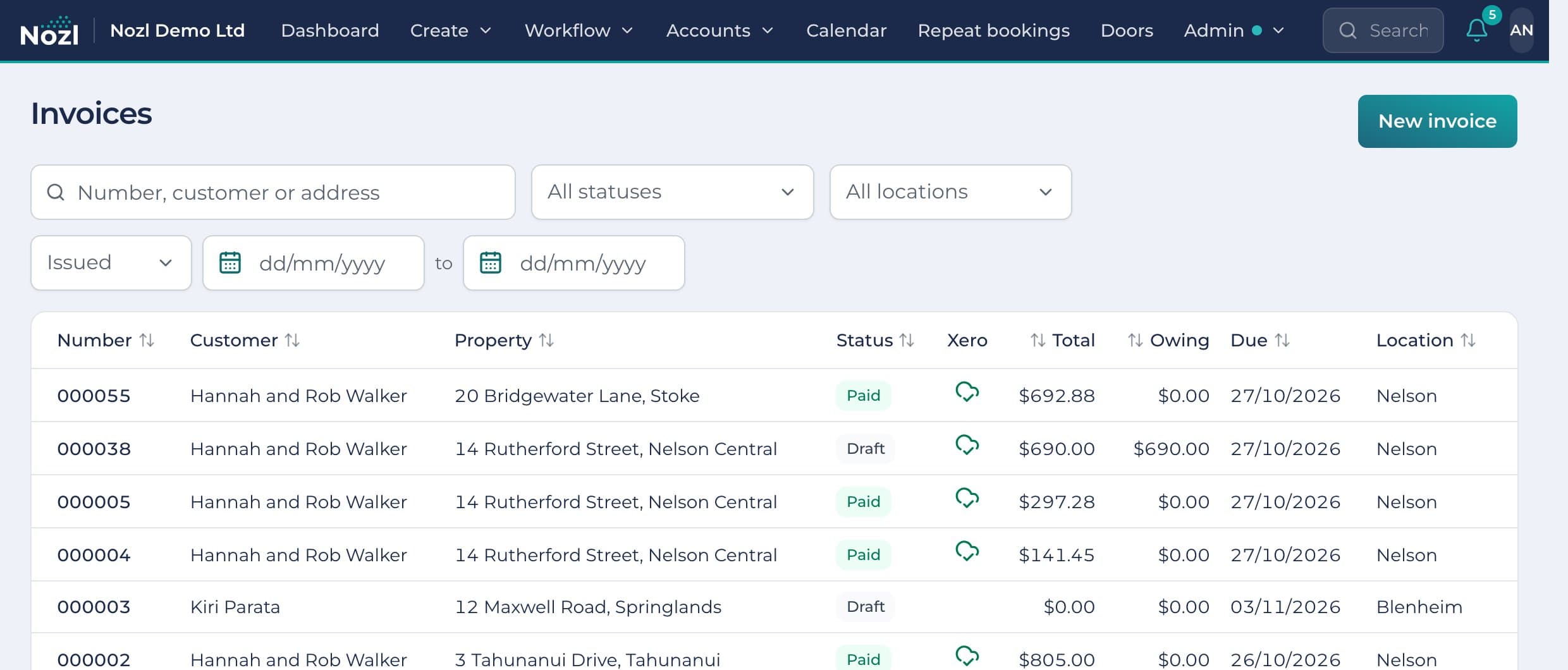
Invoices go by email with a PDF and a link where the customer can see what's owing and pay.
- Pay now through Stripe, into your own Stripe account
- Card payments taken in the office or on the job
- EFTPOS, bank transfer, cash and part payments recorded against the invoice
- Clients, invoices and payments sent to Xero, GST matched to the cent
- Stripe
- Xero
- EFTPOS
- Bank transfer
- Cash
The customer portal
Your customers' own page, in your colours
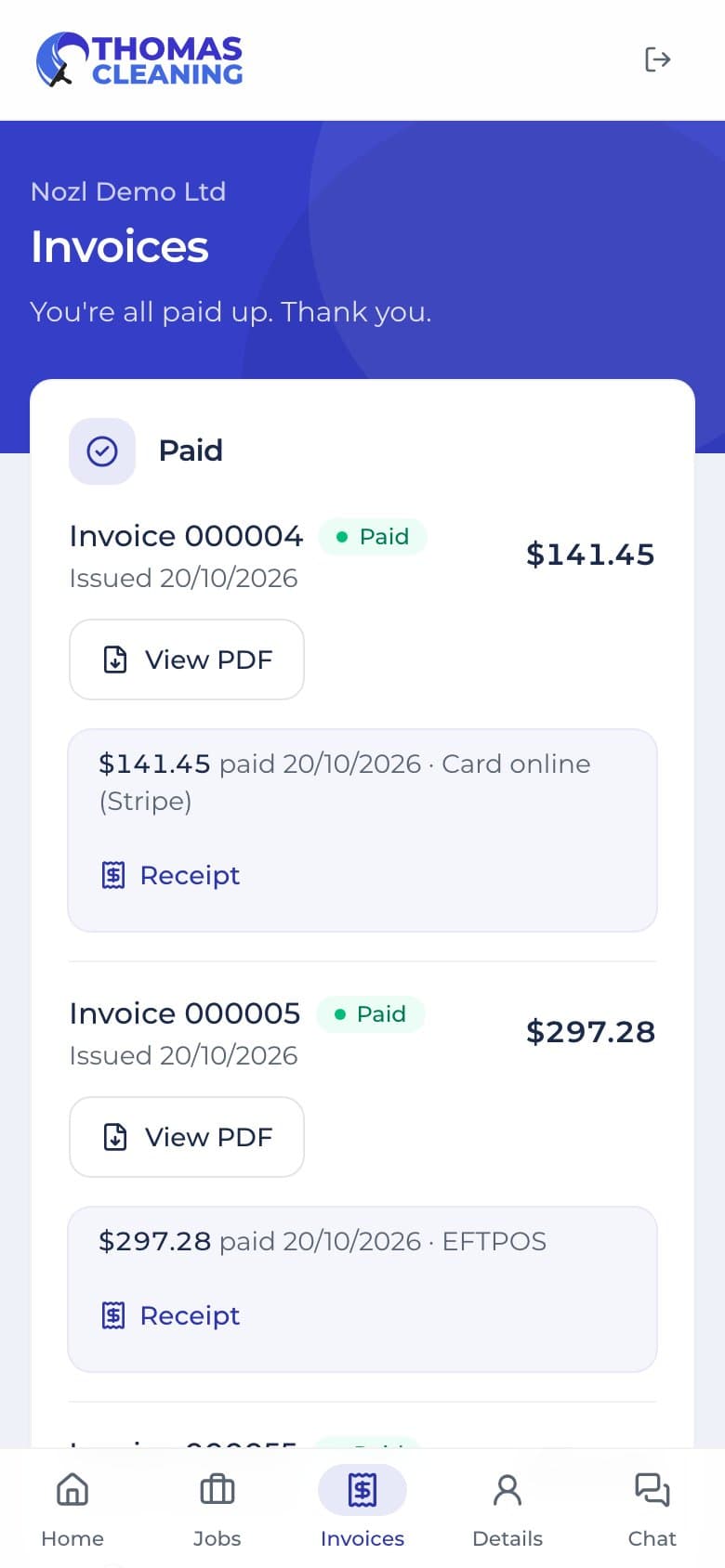
Customers sign in with a link by email and see their next job, their repeat visits, past jobs with photos, invoices to pay and quotes to accept.
- Your logo and brand colour, at your own address
- Pay invoices online and accept quotes in one place
- Ask for another day, with the days that suit picked on a calendar
- Chat with the office, answered from Nozl and emailed if it isn't read
Automations
The follow-ups happen by themselves
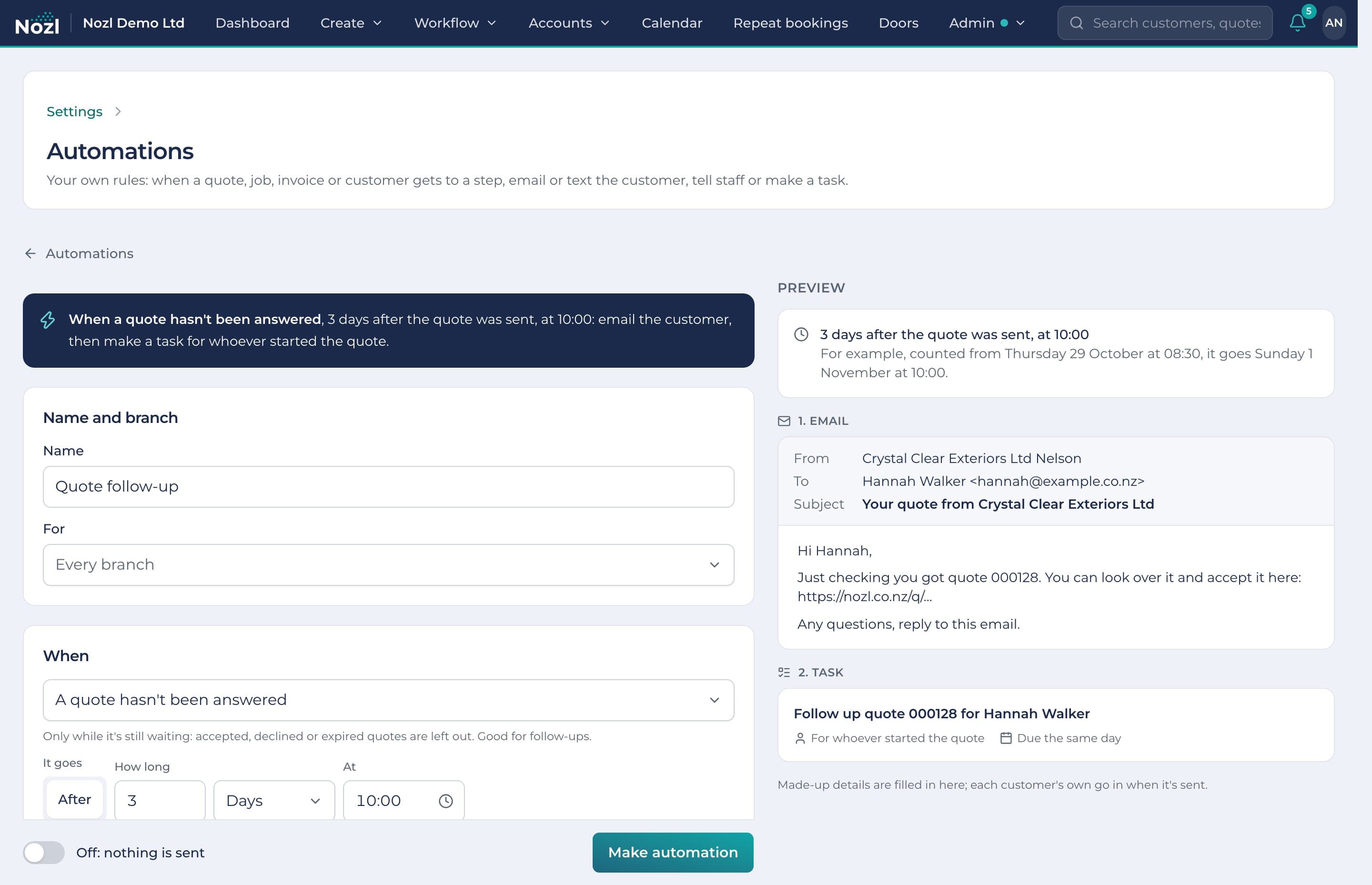
Make your own rules: when a job is booked, a quote hasn't been answered or an invoice is overdue, email or text the customer, tell staff or make a task.
- Booking confirmations, day-before reminders, quote follow-ups and thank-yous
- Straight away, or so many hours or days before or after, at the time you choose
- A preview of the email, text, notice and task as they'll arrive
- Every message kept on the customer's page, and what each rule did listed
Reports
Answers, not spreadsheets
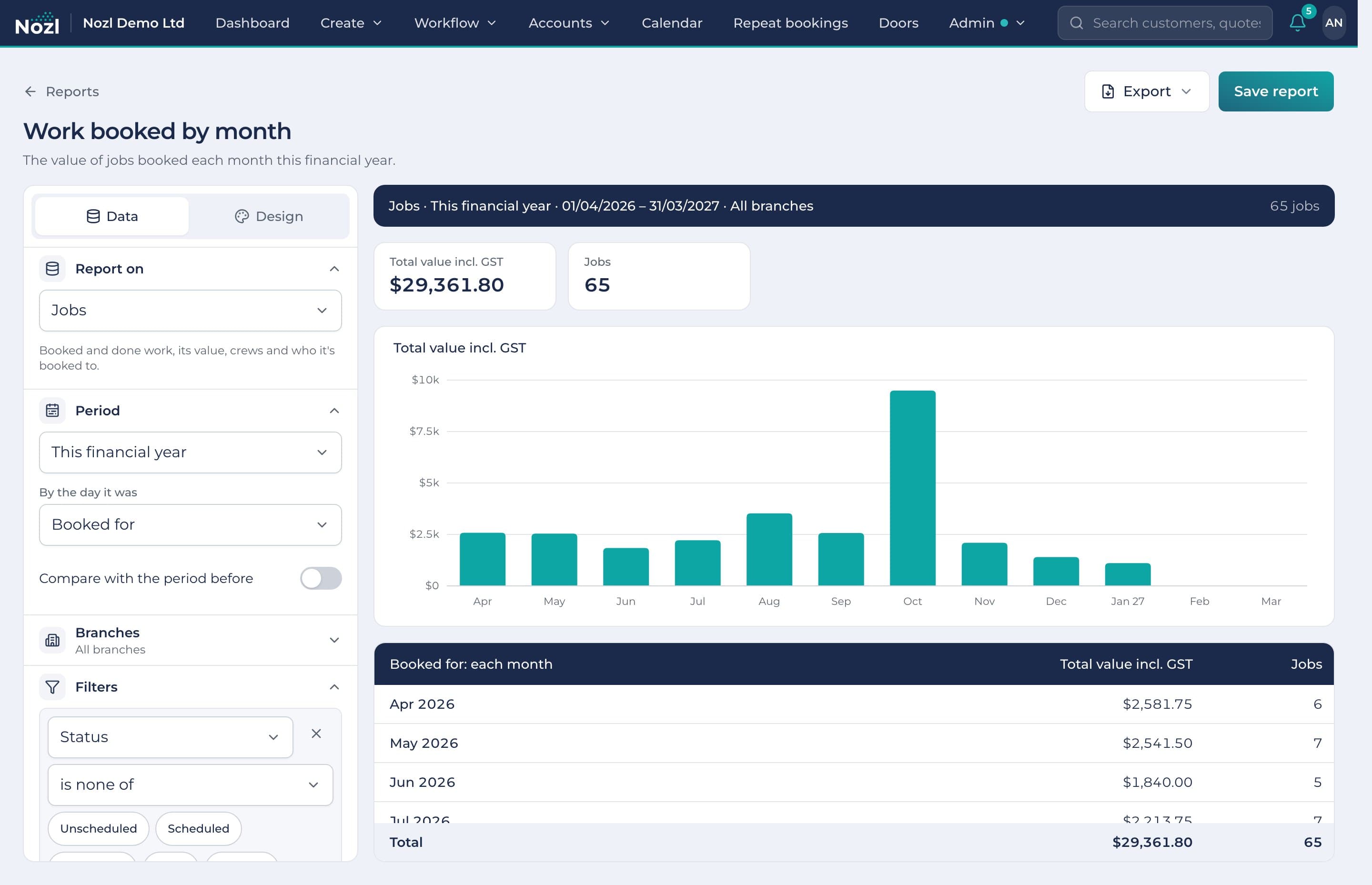
Build a report on jobs, quotes, invoices, payments, customers, timesheets, door knocks or repeat visits. Group it, chart it, save it and share it.
- Any period, including your financial year, compared with the one before
- Grouped by month, crew, suburb or person, with totals, averages and conversion
- Bars, stacked, line or donut charts, in your own colours
- Ready-made reports to start from, exported to a spreadsheet or PDF
Door knocking
Every door on the map
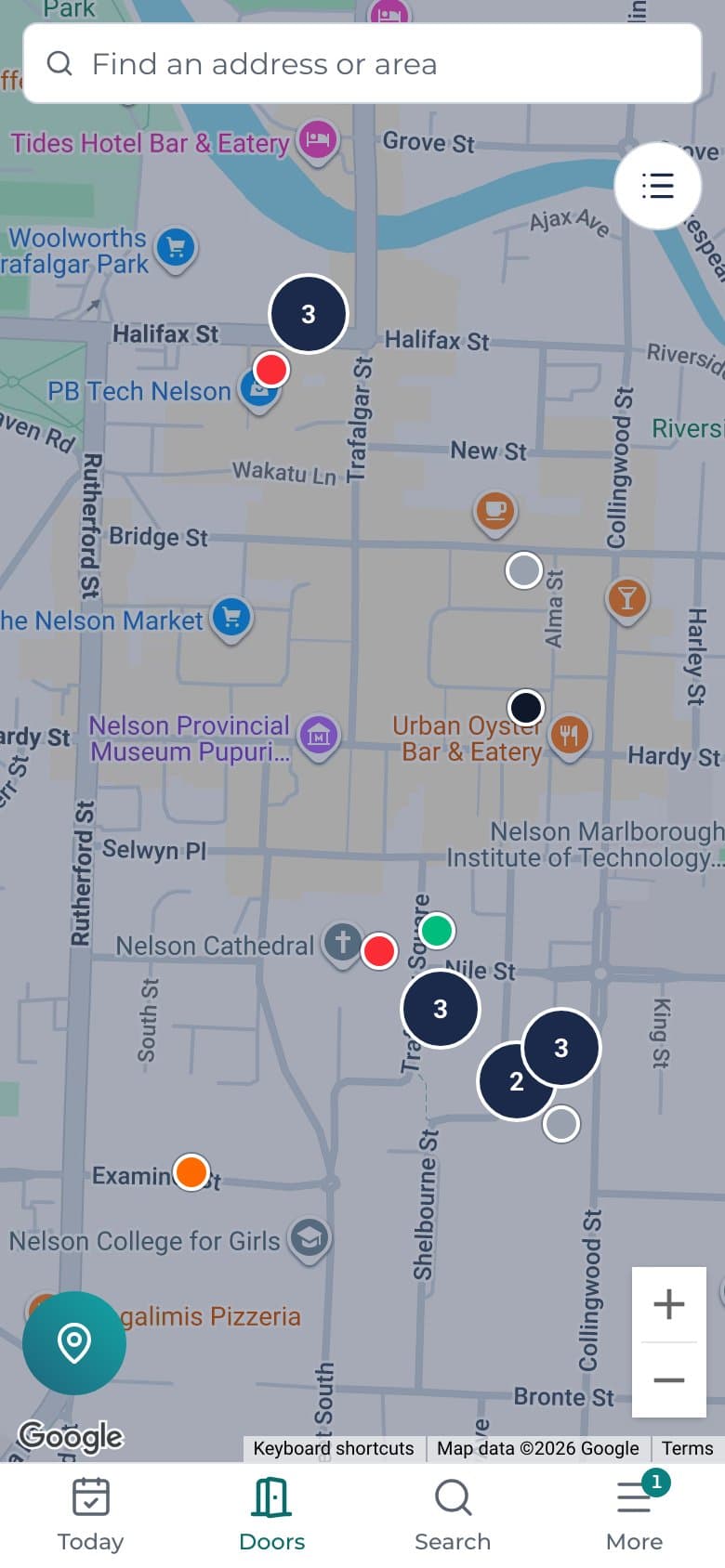
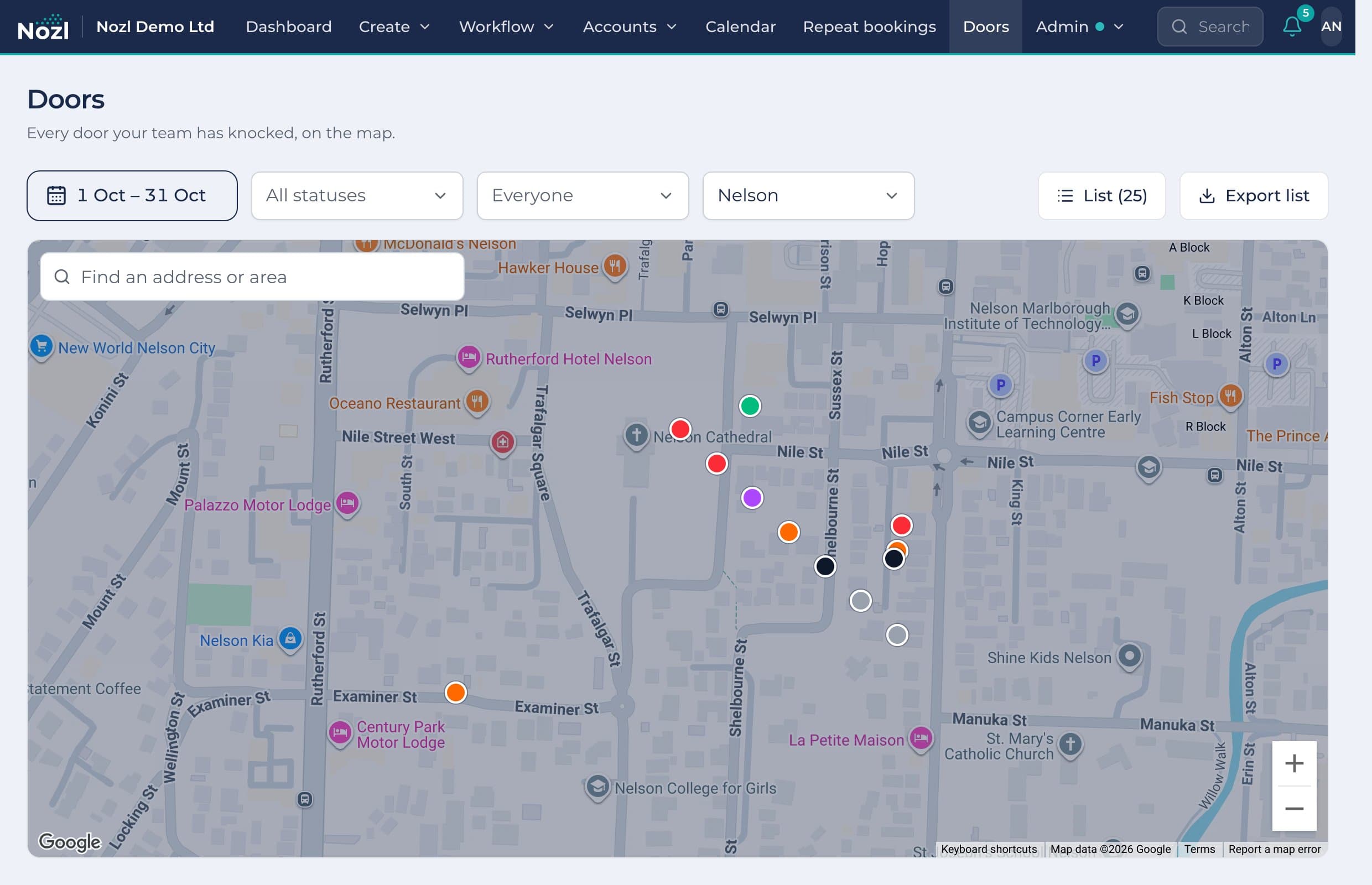
Drop a pin at each door and tap how it went. The office sees every pin on its own map, by period, person and branch.
- Six statuses, from not home to lead, in colours that read at a glance
- A lead becomes a customer and goes to the top of Quotes
- A callback becomes a task for whoever knocked
- No signal: pins wait on the phone and send when it's back
- Not visited
- Not home
- Not interested
- Callback
- Lead
- Do not knock
One app, not nine
What you save by running it all in Nozl
Most cleaning businesses pay for a separate app for each of these, and copy the same customer between them. Here's roughly what that costs a team of eight. Switch off what you don't use, or put in what you pay.
- Job management and invoicingQuotes, jobs, scheduling and invoices, priced per user
- Door knockingA canvassing app with a map, per user
- Time clock and timesheetsClocking on and off, breaks and approvals
- Health and safetyIncident reports, investigations and sign-off
- Equipment and servicingA register with hours and service reminders
- Website formsEnquiry forms with photos and logic
- Reminders and follow-upsAutomated emails and texts to customers
- Customer portalCustomers' own page for jobs and invoices
- Reports and dashboardsCharts and exports beyond the built-in reports
Separate apps$880 a month
Nozl Team$299 a month
You'd save about
$581 a month
$6,972 a year
Paying yearly saves two months of Nozl on top.
- One login for the office and the crews
- Each customer typed in once, not in every app
- One bill, and one place to look when something's wrong
Rough prices for a team of eight, incl. GST. Nozl Team is $299 a month for up to 8 users.
Everything else the business runs on
Built in, not bolted on, and working the same way in every branch.
The dashboard
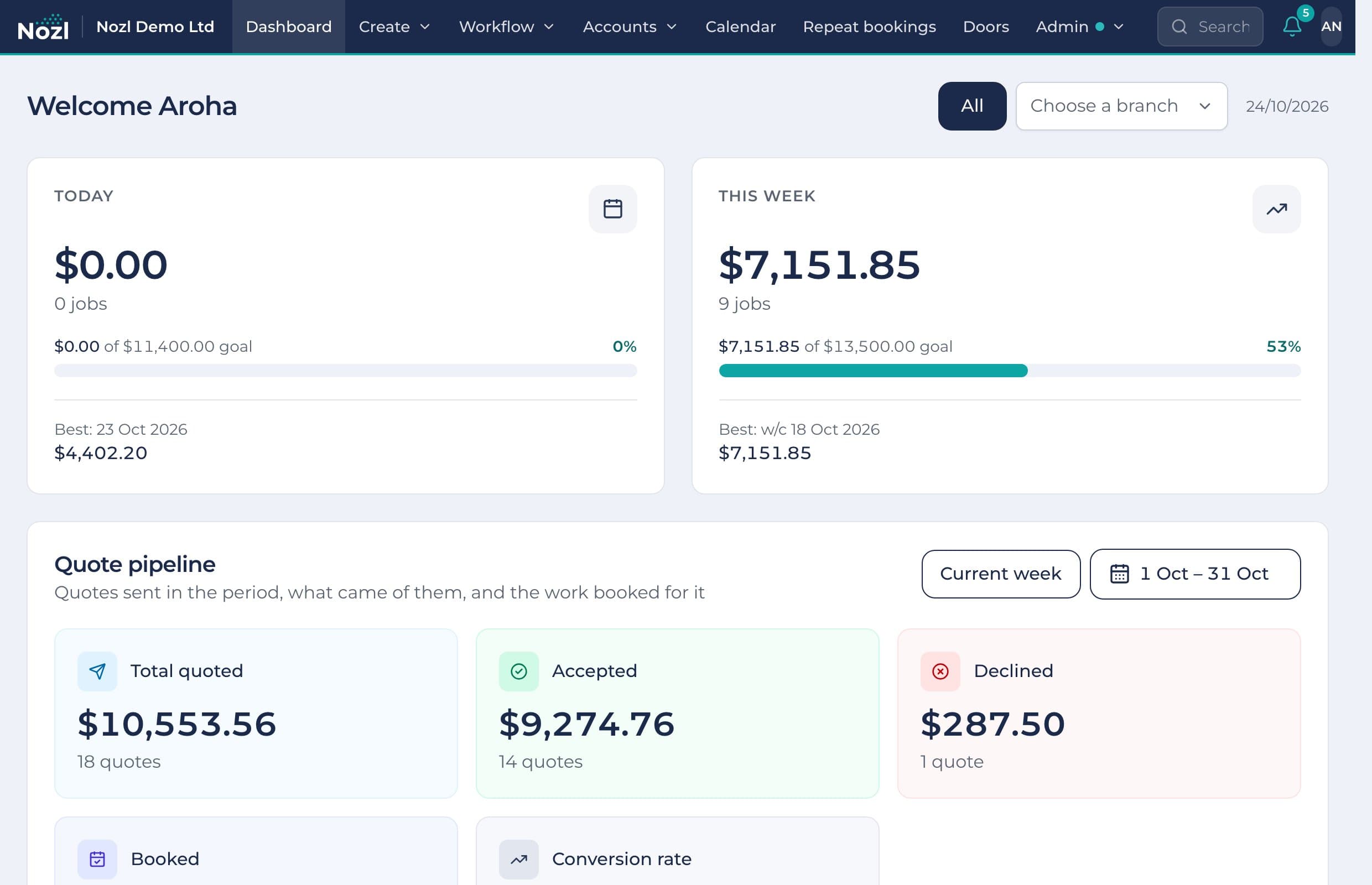
Today and this week against your goals, the quote pipeline and the year's forecast, by branch.
Timesheets
Hours from the time clock, break problems flagged, fixed with a reason and approved for payroll.
Lead forms
Build a form and embed it on your website. Each enquiry arrives as a lead with its answers and photos.
Customers and locations
Companies and their people, and every address with its access notes, map and history.
Equipment and servicing
A register with hours and service rules, reminders when servicing is due, faults and repair requests.
Incidents
Reported step by step on the phone, investigated and signed off, with a safety dashboard.
Staff records and policies
Licences and certificates with expiry reminders, documents, and policies staff read and sign.
Roles and permissions
Starter roles, a switch for each permission, and settings for one person when they need it.
Branches and franchises
Company branches share their work; a franchise sees only its own. Head office sees it all.
Tasks
Tasks for a person, attached to a quote or job, with checklists. Giving one rings their bell.
Your own documents
Design your quotes, invoices, receipts and their emails, with your logo, colours and wording.
Email and texts
Templates that fill in each customer's details, texts through ClickSend, every message kept.
Your own email address
Customer emails sent from your own domain, set up from the DNS records Nozl gives you.
Xero, Stripe and ClickSend
Your own accounts connected: invoices and payments to Xero, cards through Stripe, texts by ClickSend.
Search everything
Customers, quotes, jobs and invoices as you type. Press / to jump straight to it.
Pricing
In New Zealand dollars, including GST. Pay monthly, or yearly and get two months free.
Solo
For an owner-operator with one helper.
$99 a month, incl. GST
- Owner + 1 user
- Quoting, jobs and invoicing
- Repeat bookings and roof treatments
- Customer portal
Add door knocking for $50 a month
Get in touch about SoloTeamMost businesses
For a business with crews.
$299 a month, incl. GSTUp to 8 users, then $29 a month for each extra user
- Everything in Solo
- Crews
- Door knocking
- Commissions
- Equipment tracking
- Form builder
Multi-location
For more than one branch, or franchises.
$399 a month, incl. GSTFor two locations, then $99 a month for each one after
- Everything in Team, any number of users
- Head office view
- Sealed franchise data
- Equipment and staff by location
Every new business starts with a 7-day trial of everything.
Thinking about Nozl?
Try everything free for 7 days. Email us with your questions, or sign in if your business already uses it.